The whole film lab,
in one app.
Shoot with a live LUT camera, grade with 35+ cinematic film looks, fine-tune like a pro, and bring in your own .cube and .xmp presets — all on your iPhone.

One app, six superpowers
From capture to final grade — here's what Filmode gives you.
Live LUT camera
Compose with the final look. The film LUT is baked in the instant you press the shutter — switch LENS models for classic camera vibes.
35+ film LUTs
Basic, Cinematic, Film and Selfie collections — every swatch previewed on your own photo, never a stock one.
Pro adjustments
Exposure, contrast, HSL, tone curve, sharpen, vignette and more — with haptic sliders and instant before/after compare.
Import .cube & .xmp
Bring your own looks — industry-standard 3D LUTs and Lightroom presets, rebuilt into editable Filmode recipes.
See both formats below ↓Filter Store
Download free and Pro filter packs — curated .cube LUTs and .xmp presets, delivered straight into your library.
Projects & batch
Every session saves automatically. Reopen any edit, tweak the recipe, and batch-apply it across a whole set.
Two ways to grade
Filmode imports the two color-file formats the pros use. Here's what each one does.
The industry-standard lookup table from professional video grading — the same files used in DaVinci Resolve, Premiere Pro and on film sets. It remaps every RGB color to a new value for an exact, film-accurate look that bakes straight into your photo.
- 17-, 33- and 64-point cubes supported
- Precise, non-parametric — what you load is what you get
- Applies instantly, no adjustment needed
Adobe's sidecar preset format from Lightroom & Camera Raw. Instead of a color map it stores adjustment values — exposure, contrast, HSL, tone curve, split-toning. Filmode reads these and rebuilds them as an editable recipe you can fine-tune.
- Exposure, contrast, HSL, curves & split-toning
- Fully editable after import — tweak any slider
- Bring looks straight from Lightroom
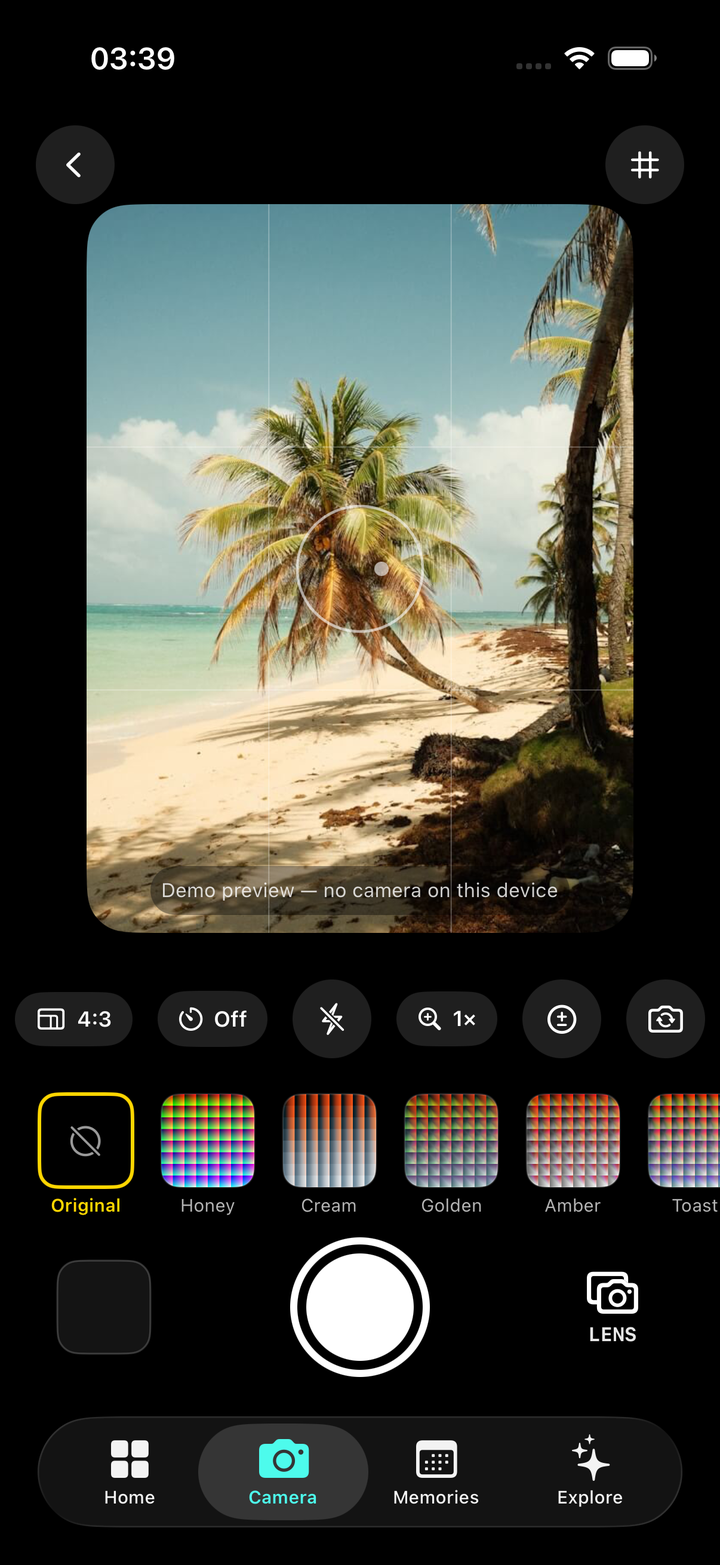
Shoot with the look baked in
The live camera applies the LUT before you press the shutter — no guessing, no post. Same screen opens instantly from the App Clip QR, before you even install.
- Live LUT viewfinder on your real scene
- LENS: virtual film-camera models
- Flash, timer, zoom & 4:3 framing
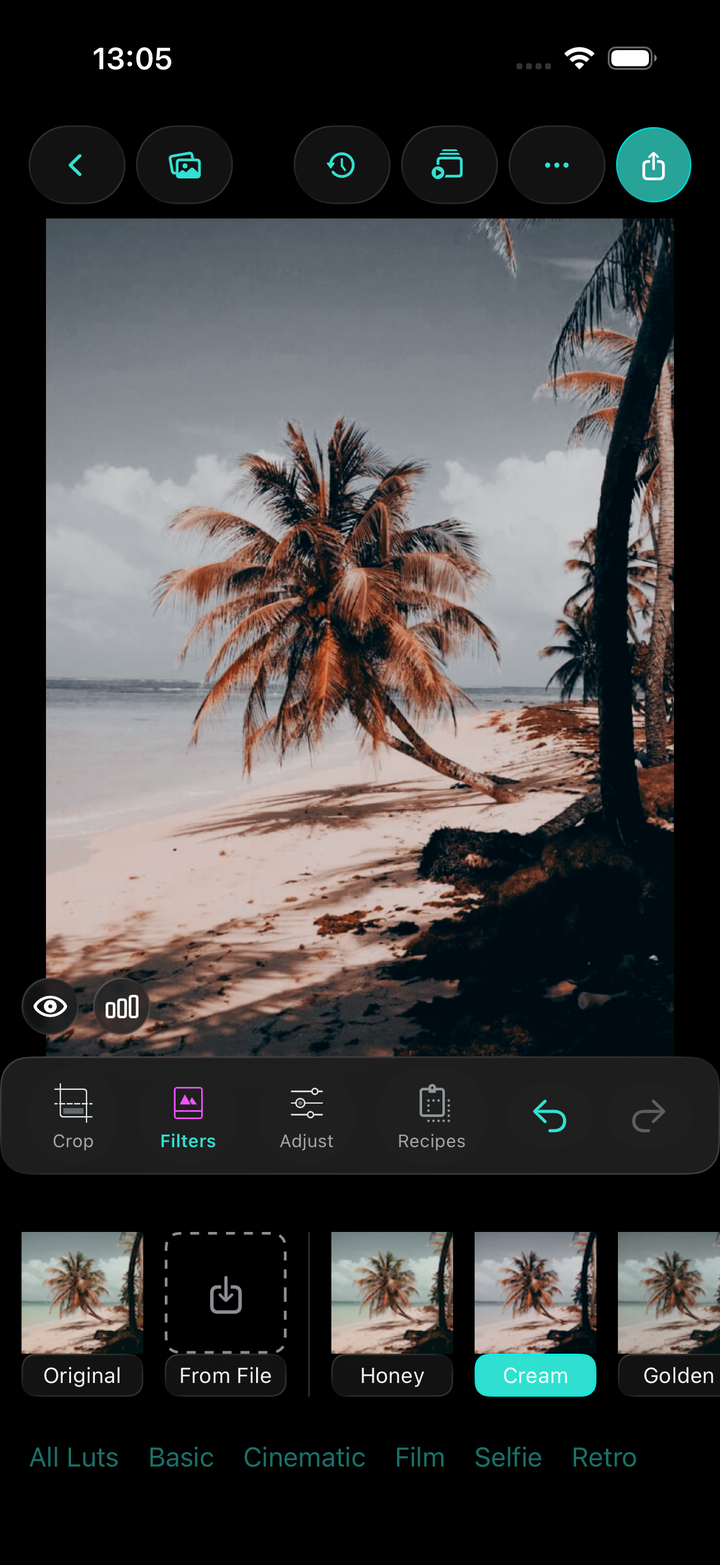
Grade & fine-tune
Pick a look from 35+ LUTs, then dial it in with pro adjustments. Crop, compare, and export — every recipe stays fully editable.
- 35+ LUTs previewed on your photo
- Exposure, HSL, curves, sharpen, vignette
- Import .cube / .xmp & Filter Store packs
Start with a single scan.
Try the live camera in seconds via the App Clip — install when you're ready.
